Scroll through any Instagram explore page and you’ll notice it fast: the profiles that stop your thumb usually aren’t relying on the photo alone. Half the time, it’s the bio. A soft script font here, a bold accent word there, a sprinkle of symbols instead of bullet points — it reads like a tiny piece of design rather than an afterthought typed in a hurry. That’s the whole appeal of aesthetic bio fonts for Instagram: a few styled characters can turn a plain profile into one that actually looks designed.
None of that is a hidden Instagram feature, by the way. It’s a trick, and a pretty simple one once you know how it works: aesthetic bio fonts. In this guide, I’ll walk through what they actually are, how to generate and paste them into your profile, which tools are worth your time, and the mistakes that make a bio look messy instead of polished.
Need cool fonts for your social media bio? Click here.
What Are Aesthetic Bio Fonts, Really?
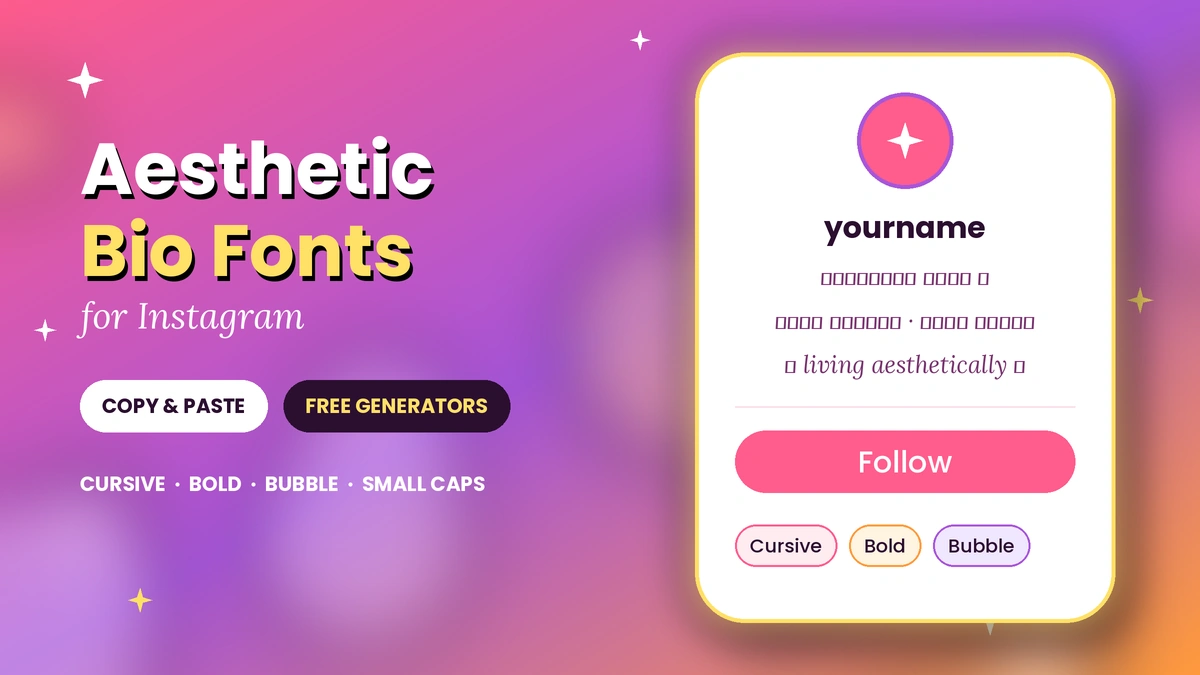
Quick answer: Aesthetic bio fonts aren’t fonts in the traditional sense — they’re Unicode characters styled to look like cursive, bold, or decorative letters. Because Unicode is a universal text standard, these characters paste and display just like regular text anywhere on Instagram.
Here’s the part most people don’t realize: Instagram has never shipped a font picker. There’s no settings menu where you swap “Helvetica” for “Cursive.” What you’re actually seeing when someone’s bio reads 𝓈𝓅𝑒𝓁𝓁𝒸𝒶𝓈𝓉 or 𝐛𝐨𝐥𝐝 𝐰𝐫𝐢𝐭𝐢𝐧𝐠 is a set of different characters entirely — specific symbols from the Unicode standard that happen to resemble stylized letters, pulled from character blocks originally built for mathematical notation, not typography.
That’s a neat workaround, and it’s why it works everywhere: bios, captions, comments, even DMs. If a character exists in Unicode and the device rendering it supports that character block, it’ll show up correctly. No app installs, no fonts to license, nothing to break when Instagram updates.
Why Bother? What a Styled Bio Actually Does for You
A bio is prime real estate — 150 characters, full stop, and it’s often the very first thing a new visitor reads before deciding whether to tap “Follow.” Plain default text works, but it blends in. A styled font gives your profile a visual signature the second someone lands on it, before they’ve read a single word.
It’s also a fast way to signal brand or personality. A soft, looping script says something different than sharp, bold block letters — and that distinction registers with a viewer in under a second, long before they process your actual bio copy. Think of it as the typographic equivalent of choosing an outfit: it doesn’t change who you are, but it sets the tone for the first impression.
That said, be skeptical of the wild engagement-lift percentages that float around some marketing blogs — a lot of those numbers aren’t independently verifiable. The honest case for using a styled font is simpler and doesn’t need a stat to back it up: a clean, well-designed bio reads as more intentional, and intentional profiles tend to earn more trust than ones that look thrown together.
Popular Bio Font Styles (With Examples)
| Style | Vibe | Example |
|---|---|---|
| Cursive / Script | Elegant, soft, romantic | 𝓑𝓮𝓵𝓵𝓪 𝓼𝓽𝓸𝓻𝔂 |
| Bold / Block | Confident, high-impact | 𝐁𝐨𝐥𝐝 & 𝐁𝐫𝐢𝐠𝐡𝐭 |
| Full-width / Spaced | Clean, minimal, modern | Minimal |
| Small caps / Tiny text | Playful, subtle | ᴛɪɴʏ ʙᴜᴛ ᴍɪɢʜᴛʏ |
| Symbol-embedded | Decorative, expressive | T♥y♥p♥e |
| Bubble / Circle text | Fun, casual | Ⓑⓤⓑⓑⓛⓔ |
| Glitch / Zalgo | Edgy, distorted | used sparingly — hard to read |
| Themed (Gothic, graffiti, etc.) | Niche, subculture-specific | fits a specific brand only |
Cursive, bold, small caps, and bubble text remain the four styles people reach for most often heading into 2026, largely because they stay legible even when the phrase is long. Glitch and Zalgo text look striking for a single word but get exhausting fast across a full sentence — treat them as a garnish, not the main dish.
Does Instagram Have a Built-In Font Changer?
No — and this trips people up constantly. Instagram doesn’t offer native font styling anywhere in the app. Every “font” you see in someone’s bio is Unicode text generated elsewhere and pasted in.
There’s a practical consequence worth knowing before you go all-in on decorative text: Instagram’s internal search only recognizes standard alphanumeric characters. If your name or niche keyword is written entirely in a stylized Unicode font, the search algorithm effectively can’t read it — it just sees an unrecognized symbol string, not the word “photographer” or “coach.”
So if being found matters to you (and for creators or small businesses, it usually does), keep the words people would actually search — your name, your niche, your city — in plain text. Save the decorative font for the parts that are pure style: a tagline, a mood, a row of symbols.
There’s also an accessibility angle that rarely gets mentioned. Screen readers used by blind and low-vision users often can’t parse heavily stylized Unicode the way they parse normal letters — some characters get skipped entirely, others get read out as garbled nonsense. If accessibility matters to your account (and honestly, it should), lean on light styling for a word or two rather than converting your entire bio.
How to Create and Copy Aesthetic Fonts
The process is the same across nearly every generator out there:
- Open a font generator in your browser (mobile or desktop both work).
- Type your text — a name, tagline, or short phrase.
- Scroll the style previews. You’ll see your exact text rendered in dozens of variations instantly.
- Tap “Copy” next to the style you want. The styled Unicode text is now on your clipboard.
- Paste it into Instagram — bio, caption, comment, or Story text box.
That’s genuinely the whole process. No downloads, no account creation, no font licensing to worry about.
Best Instagram Font Generators, Compared
| Tool | What It’s Good For | Notes |
|---|---|---|
| Pixelied | Wide range of curated categories — script, bold, glitch, hearts | Free, no login, fast copy-paste |
| Fontixa | Pre-built bio templates (not just fonts) — pick a vibe like “cozy” or “kawaii” and get a full bio suggestion | Useful if you want inspiration, not just characters |
| LingoJam | Bare-bones converter — italic, small caps, strikethrough | Minimal interface, good if you just want speed |
| CoolSymbol / general Unicode converters | Not Instagram-specific, but produce the same character sets | Fine as a backup if your usual tool is down |
None of these require payment or a login to generate basic styled text. If a site asks you to sign up or pay before you can copy a single word, that’s a sign to look elsewhere — the underlying technology (Unicode character mapping) costs the site owner nothing to offer for free.
How to Add a Stylish Font to Your Instagram Bio
- Generate and copy your styled text from a font generator (steps above).
- Open the Instagram app and tap your profile icon.
- Tap Edit Profile.
- Long-press the Bio field and select Paste.
- Tap Done or Save to lock it in.
This works identically on iPhone and Android, since the styling lives in the Unicode characters themselves — not in any app-specific formatting. The same copy-paste method applies to captions, comments, and the text tool inside Stories.
Best Practices: Making It Look Intentional, Not Chaotic
- Prioritize readability first. A gorgeous font nobody can actually read defeats the purpose. Paste your finished bio and read it back cold, as if you were a stranger seeing it for the first time.
- Respect the 150-character ceiling. Every letter, space, and emoji counts toward that limit — plan your phrase before you start styling it.
- Pick one style, maybe two. A single script font plus a plain accent word looks curated. Five different font styles in one bio looks like a mistake.
- Keep searchable terms in plain text. Your name, niche, or business type should stay in standard characters so Instagram’s search can actually surface your profile.
- Use symbols and emojis as punctuation, not filler. A star or heart between two phrases works. A row of ten emojis doesn’t.
- Test on more than one device if you can. Rare or obscure Unicode blocks occasionally render as blank boxes on older phones — sticking with widely supported styles like bold, italic, or small caps minimizes that risk.
Common Mistakes (and Why They Hurt More Than You’d Think)
- Styling the entire bio, including your name or keywords. This is the single biggest self-inflicted wound — it makes you functionally invisible to Instagram search.
- Mixing too many font styles in one short bio. It reads as cluttered rather than curated, and it slows down comprehension.
- Reaching for obscure or “exotic” character sets. They’re the ones most likely to break on older devices, showing up as empty boxes instead of text.
- Ignoring tone-fit. A bubbly, rounded font on a serious professional account (or a harsh glitch font on a lifestyle blog) creates a subtle mismatch that readers notice even if they can’t articulate why.
- Forgetting to preview before saving. Always check how the pasted text actually looks in the live bio field — some characters render differently across contexts.
Troubleshooting: Font Not Showing Up Right?
Bio shows boxes or question marks instead of the styled text. That character block isn’t supported on the visitor’s device or OS version. Switch to a more universally supported style — bold, italic, and small caps have the widest device support of any Unicode styling.
Pasted text got cut off or truncated. You’ve likely hit the 150-character bio limit — remember that emojis often count as two characters instead of one, so a heavily emoji-styled bio eats space faster than it looks.
Text pastes but looks different than the generator preview. Some fonts and system keyboards render certain Unicode ranges slightly differently. This is normal and usually only a minor visual shift, not a functional problem.
People say they can’t find your profile by searching your name. Your name or key search terms are likely styled in Unicode. Switch those specific words back to plain text and keep the styling on non-searchable words only.
Aesthetic Bio Examples to Steal Ideas From
Nature-inspired: 🌿 Plant lover | dreamer 💭 | photo by photo 📷 Golden hour chaser ☀️ | finding magic in small things ✨
Coffee & cozy: Soft ☕ mornings | slow ✨ evenings Currently: reading ❄️, daydreaming ☁️, replaying one song 🎶
Travel & adventure: Explorer at heart 🗺️ | collecting stamps, not stuff On the road ✈️ — a story in every stop
Creative & artistic: Coloring outside the lines 🎨 — designer by day Typographer ✒️ by day | poet ✏️ by night
Minimalist: minimalist life ✧ simplicity over noise serenity ✷ creativity ✷ coffee ✷
Notice none of these bury their meaning under decoration — the message is still instantly readable even before you imagine it in a fancy script. That balance is the whole trick.
READ MORE: Cursive Text Generator: Copy & Paste Stylish Script Fonts Instantly
FAQs of Aesthetic Bio Fonts for Instagram
How do I change my Instagram bio font?
Instagram has no built-in font changer. Use a free online font generator, type your text, copy a styled version, then paste it into Edit Profile > Bio and save.
Is it safe to use Instagram font generators?
Yes. These tools just remap your text to different Unicode characters in your browser — there’s nothing to download, and no account access is required.
Will the styled font show correctly on every device?
Mostly, yes, on modern phones. Very obscure or decorative character sets occasionally fail on older devices, showing as blank boxes — sticking to common styles like bold, italic, or small caps avoids this.
Does a styled bio affect Instagram search or the algorithm?
It doesn’t affect your post reach, but it can affect discoverability: Instagram’s search only reads standard characters, so keywords hidden in decorative fonts won’t surface in search results.
What’s the best font for an Instagram bio in 2026?
There’s no single best option — it depends on your niche. Cursive and script suit soft, personal brands; bold suits high-impact business or creator profiles; small caps and bubble text suit a more playful, casual tone.
Do emojis count toward the 150-character bio limit?
Yes, and most emojis count as two characters rather than one, so a heavily emoji-styled bio fills up faster than a plain-text version of the same length.