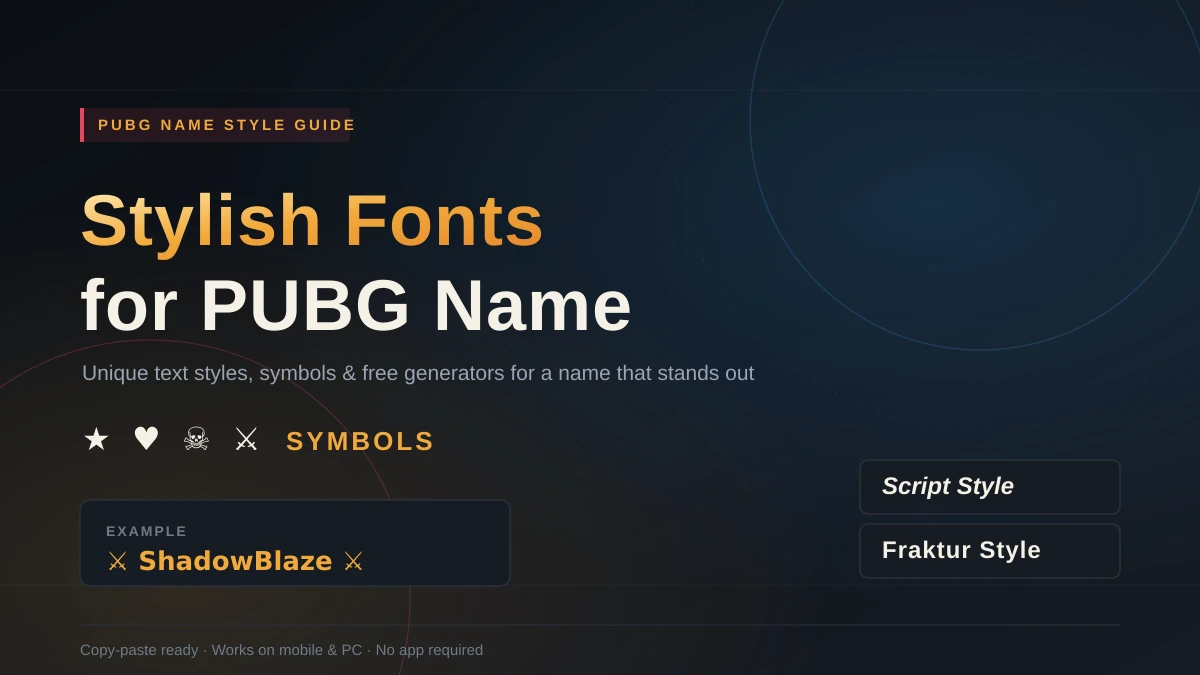
Scroll through any PUBG lobby and you’ll notice something: half the names look like everyone else’s, and the other half look like someone spent real time on them. That second group almost always relies on stylish fonts for PUBG name customization — fancy Unicode letters and symbols that make a username impossible to scroll past. It’s the one people remember — and copy.
If you’ve ever wondered how players end up with names like ꧁༒☬𝐊𝐢𝐥𝐥𝐞𝐫☬༒꧂ or ⚔️𝐑𝐞𝐝𝐂𝐡𝐢𝐞𝐟⚔️, the trick isn’t a hidden font pack or a paid app. It’s Unicode — the same text standard your phone uses every day — applied a little more creatively. This guide walks through exactly how it works, where to generate these names for free, and how to avoid the mistakes that get stylish names rejected by PUBG’s servers.
You don’t need any software to create stylish text — this tool is enough.
Why Bother With a Stylish PUBG Name?
Your username is the first thing anyone sees when you kill them, get killed by them, or squad up with them. It shows up on the kill feed, the lobby screen, and the leaderboard dozens of times per match — which makes it one of the few pieces of “branding” you actually control in the game.
A few practical reasons players go stylish:
- Visibility. A name dressed up with symbols or unusual letterforms catches the eye faster than plain text buried in a scrolling kill feed.
- Identity. Clans and squads often use matching symbols or letter styles so teammates are instantly recognizable mid-fight.
- Tone-setting. The style you choose says something before you’ve fired a shot — Gothic Fraktur letters read as serious or menacing, while bubble letters or hearts read as playful.
None of this changes how you play. But in a game built around split-second recognition, a name that’s easy to spot and easy to remember is a small, real advantage.
Wait — Are These Actual Fonts?
No, and this trips people up constantly. When you see “stylish font generators,” they’re not installing typefaces on your device. There’s no font file involved at all.
Here’s what’s actually happening: these tools swap your regular letters for different characters that live in the same universal Unicode system every app already supports — the same system responsible for emoji, currency symbols, and foreign-language alphabets. A fullwidth “A” or a script “𝒜” isn’t a styled version of “A” — it’s a completely separate character that happens to look similar. Because it’s still just text, it pastes cleanly into PUBG’s name field, no installation or permissions required.
That’s the whole trick. Copy the character, paste it into your name field, done.
The Main Categories of Stylish Text and Symbols
Most stylish PUBG names combine two ingredients: a fancy alphabet and a handful of decorative symbols. Here’s what’s available in each bucket.
Fancy Alphabets and Letter Styles
| Style | Example | Best for |
|---|---|---|
| Script/Cursive | 𝓗𝓮𝓻𝓸𝔢𝓼 | Elegant, mysterious vibe |
| Bold/Heavy | 𝗧𝗵𝗲𝗥𝗲𝗣𝗼𝗸𝗲𝗥 | Strong, aggressive presence |
| Fraktur/Gothic | 𝔼𝕝𝕠𝕥𝕒𝕩 | Dark, “final boss” energy |
| Bubble/Circled | ⒽⒶⓃⒹⒶⓨ | Playful, casual look |
| Leet/Number-substituted | υρѕι∂є-∂σωη | Old-school gamer aesthetic |
| Fullwidth | PUBG | Clean, oversized look |
Players frequently blend accented letters into ordinary words too — turning “BadBoy” into something like ɃȺɖɃӨЎ. It’s a small tweak that changes the whole feel of a name.
Decorative Symbols and Emojis
Symbols do a different job than fancy letters — they set the tone in a glance.
- Combat vibe: swords ⚔️, skulls ☠️, flames 🔥
- Regal vibe: crowns 👑, shields 🛡️, wings 🕊️
- Soft/friendly vibe: hearts ♥, stars ★, flowers ✿
- Framing/borders: ꧁༺Name༻꧂, ☆Name☆ — used to bookend a name so it reads as one cohesive unit rather than random characters
A quick tip that experienced players swear by: match your symbol to your playstyle. Swords and skulls for aggressive rushers, stars for support players, crowns for squad leaders. It’s a subtle detail, but it reads as intentional rather than random.
Where to Actually Generate a Stylish PUBG Name
You don’t need to hunt down individual Unicode characters by hand. A few free options make this fast:
- Online name generators (like LingoJam’s stylish text tool) — type your base name once, get dozens of styled variations instantly, and copy whichever one fits.
- Symbol libraries (like i2symbol) — browse curated collections of icons and letterforms specifically popular in gaming names, then click to copy.
- Mobile keyboard apps — several fancy-text keyboard apps let you type styled characters directly, useful if you’re building your name from your phone.
- Gaming community sites and forums — many host their own built-in generators or curated lists of tested, working PUBG name styles.
All of these are free, require no login, and only output plain text — they have zero connection to your actual PUBG account, so there’s nothing risky about trying a few until something clicks.
How to Build Your Own Stylish PUBG Name (Step-by-Step)
Step 1: Start with a base word. Pick something short and meaningful — a nickname, a theme (Dragon, Shadow, Ninja), or a word tied to your playstyle.
Step 2: Decide on a vibe before you decorate. Aggressive and sharp? Regal and clean? Cute and approachable? Choosing the mood first keeps the final name cohesive instead of a random pile of symbols.
Step 3: Layer in the styling. Swap a few letters for numbers or Greek characters, run your base word through a generator for a fancy alphabet, then bookend it with one or two symbols that match your vibe.
Step 4: Check the length before you fall in love with it. PUBG caps usernames at 16 characters, and this includes every symbol. Stylish letters can also render differently across devices — always preview it, ideally on both a phone and a larger screen, before committing.
Step 5: Paste it in and lock it in. Copy the exact final string and paste it into PUBG’s name-change field. Keep in mind PUBG typically only gives you one free name change, so don’t rush this last step.
Stylish PUBG Name Examples for Inspiration
- ꧁༒☬𝐊𝐢𝐥𝐥𝐞𝐫☬༒꧂
- ⚔️𝐑𝐞𝐝𝐂𝐡𝐢𝐞𝐟⚔️
- ✿𝒮𝒽𝒶𝒹𝑜𝓌𝒷𝒾𝓈𝑜𝓃✿
- 🔥𝐁𝐥𝐚𝐳𝐢𝐧𝐠𝑭𝑙𝑎𝑚𝑒🔥
- ★L3g3nd★
- ⚡N1ghTm4r3⚡
Use these as a template, not a script — swap in your own base word and the same structure will work.
Common Mistakes That Get Stylish Names Rejected
A little restraint goes a long way here. The most frequent issues players run into:
- Overloading on symbols. A name with five different decorative elements crammed together often just looks like visual noise on a small screen, especially mobile.
- Ignoring the 16-character cap. Every symbol counts toward the limit, and some stylish characters count as more than one character behind the scenes.
- Using flagged Unicode blocks. PUBG’s validator blocks certain character ranges outright. If you get an “invalid characters” error, strip out unusual symbols first and test again with simpler ones like arrows (→) or basic stars (★).
- Not previewing across devices. A name that looks sharp on desktop can look cluttered or broken on mobile. Always test before finalizing.
- Copying someone else’s exact tag. Beyond the obvious respect issue, near-identical names cause confusion in matches and squads.
Final Thoughts
A stylish PUBG name isn’t about having the fanciest possible string of symbols — it’s about picking a style that fits who you are as a player and executing it cleanly. Start with a solid base word, choose one clear vibe, layer in a couple of well-matched symbols, and always double-check the character limit before you lock it in. Do that, and you’ll land on a name that’s instantly recognizable — for the right reasons.
READ MORE: Fancy Letters for WhatsApp Status: The Complete Copy-Paste Font Guide
Frequently Asked Questions
What exactly are “stylish fonts” for PUBG names?
They’re not downloadable fonts — they’re Unicode characters that visually resemble decorative lettering. Generators map your typed name onto these look-alike characters, which paste directly into PUBG’s name field as regular text.
How do I apply a stylish font to my PUBG name?
Type your base name into a free name generator or pick symbols from a curated list, copy the styled result, and paste it into PUBG’s name-change screen.
What’s the character limit for a PUBG name?
16 characters, including all letters, numbers, and symbols. Some servers have historically enforced 14, so it’s worth testing your name before you’re fully committed to it.
Why isn’t my fancy name being accepted?
Usually one of three things: it exceeds the character limit, it uses a Unicode block PUBG’s validator blocks, or it contains a restricted word. Strip out unusual symbols and retest if you hit an “invalid characters” error.
Can I create a stylish name entirely from my phone?
Yes. Most name generators are mobile-friendly, so you can build, preview, and copy your new name straight from your phone’s browser without touching a desktop.
Are these name generator tools actually safe to use?
Yes — reputable ones only output text and don’t require logins, downloads, or account access. Stick to sites with HTTPS and no sign-in prompts, and you’re not exposing anything.