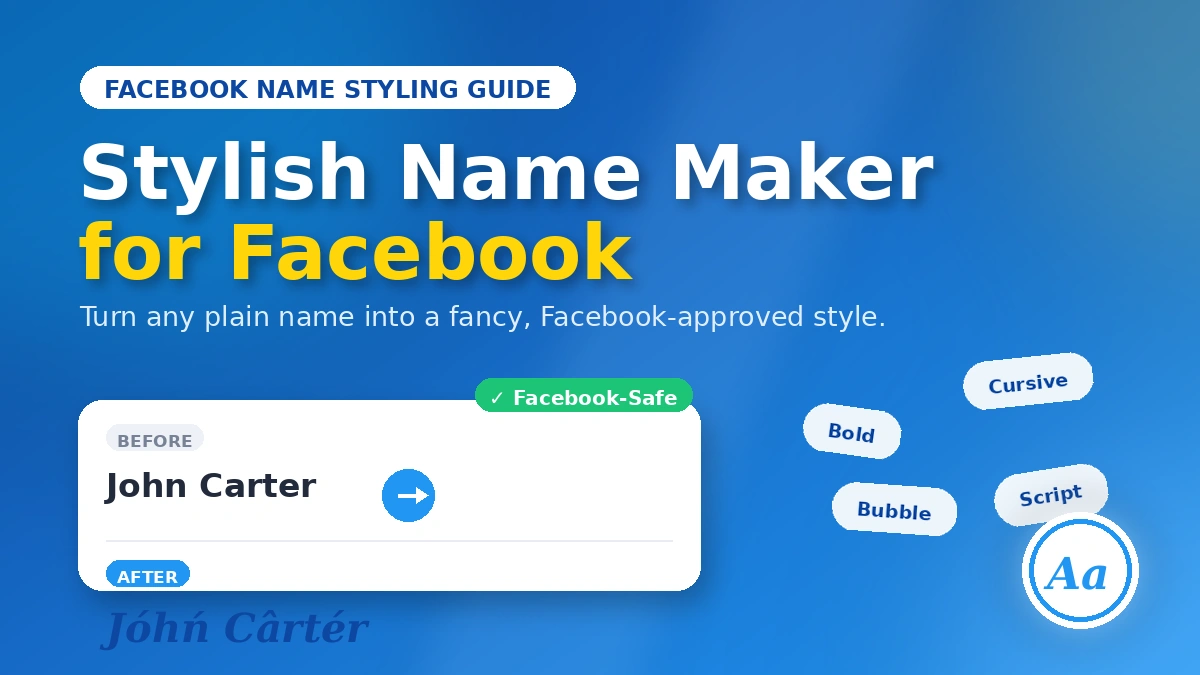
If your Facebook name has looked the same since 2014, you’re not alone — but you’re also leaving a pretty easy win on the table. A stylish name maker for Facebook lets you turn a flat, forgettable name into something that actually catches the eye in a comments section or a friend request list, without you needing to know the first thing about Unicode or font design.
The tricky part isn’t finding a tool — there are dozens. The tricky part is knowing which styles Facebook will actually accept and which ones will get your name change rejected (or your account flagged for review). That’s what this guide covers: what these tools do, how to use one properly, and how to style your name in a way that survives Facebook’s real-name policy.
To create fonts like this, check out this tool.
What Is a Stylish Name Maker, Exactly?
A stylish name maker — sometimes called a fancy text generator or Unicode font generator — is a tool that takes plain text and converts it into decorative character sets: bold, cursive, bubble, gothic, mirrored, and dozens of other styles. You’re not actually changing the font (Facebook doesn’t support custom fonts). Instead, the tool swaps your regular letters for lookalike Unicode characters that happen to render as a different style on every device.
Type “Sarah” into one of these generators and you’ll get back a wall of options — some readable and elegant (𝒮𝒶𝓇𝒶𝒽), some borderline decorative overkill (S̸a̸r̸a̸h̸). Most generators built specifically for social media will label which styles tend to work on Facebook, Instagram, and WhatsApp, since not every platform renders Unicode the same way.
Why Bother Styling Your Facebook Name?
It comes down to visibility. In a feed full of plain black text, a name that’s bolded, cursive, or lightly decorated stands out — whether you’re trying to build a personal brand, run a fan page, or just want your comments to be the ones people actually notice. It’s a small thing, but on a platform with billions of active names, small differentiators add up.
Common reasons people reach for a name generator:
- Personal branding — creators and small business owners want their name to feel intentional, not default
- Standing out in groups and comments — a styled name is easier to spot in a fast-scrolling thread
- Self-expression — some styles just feel more “you” than default Latin text
- Gaming and fan communities — stylized names are practically the norm in these spaces
Facebook’s Name Rules: What’s Actually Allowed in 2026
This is the part most guides gloss over, and it’s the part that actually determines whether your styled name sticks. Facebook requires your profile name to reflect the name you go by in everyday life — it isn’t a free-for-all username field.
Here’s what’s off-limits on your primary account name:
| Not allowed | Generally allowed |
|---|---|
| Symbols, emoji, most punctuation | Letters (including many Unicode/accented letters) |
| Random or repeating capitalization | A dash (-) or apostrophe (‘) |
| Titles (Dr., Lord, etc.) | Standard first/last name capitalization |
| Numbers | Subtle bold, italic, or script Unicode letters |
| Characters mixed from unrelated scripts (e.g., Latin + Cyrillic in one word) | Letters from a single consistent script |
A few practical details worth knowing before you touch your settings:
- Name changes are capped at once every 60 days. Test your style somewhere low-stakes (like a comment) before committing it as your official name.
- You may be asked to verify your identity with an ID if the change looks unusual to Facebook’s systems, especially if it’s a big jump from your previous name.
- Name updates go through Settings & Privacy → Settings → Accounts Center → Profiles → your account → Name, not the old direct profile-edit path.
The Easier Workaround: Use “Other Names” Instead of Your Legal Name
Here’s the tip most stylish-name articles miss entirely: if you want more creative freedom, don’t fight the real-name field — use Facebook’s Other Names (nickname) feature inside Accounts Center instead. It’s meant for names people already know you by, and it’s noticeably more flexible than the main Name field. You can add a nickname, maiden name, or stylized handle here, and it can display alongside your official name without touching your legal identity or triggering the 60-day lock. It still has to comply with Community Standards (no offensive language or impersonation), but it’s a far more forgiving space to experiment with a fancy display name.
How to Use a Stylish Name Maker for Facebook (Step by Step)
- Pick a generator. Open a text-styling site or app in your browser or on your phone.
- Type your name. Enter your real first and last name (or whatever version you’re planning to use) into the input box.
- Scroll through the styles. You’ll typically get anywhere from a dozen to several hundred variations — cursive, bold, bubble, mirrored, and more. Some tools group them by platform, so look for a “Facebook” or “social media” filter if it’s available.
- Fine-tune individual letters (optional). A few generators let you swap single characters if you like most of a style but not every letter in it.
- Copy the style you like. Most tools have a one-tap copy button next to each result.
- Paste it into Facebook. Go to Accounts Center → Profiles → your account → Name, paste the styled text, and hit Review Change. Facebook may take a day or two to approve it — occasionally longer if it flags the change for manual review.
- Have a backup ready. Keep your plain name saved somewhere (Notes app, a draft message) so you can revert instantly if Facebook rejects the change.
Best Stylish Name Generators to Try
| Tool | Best for | Notes |
|---|---|---|
| LingoJam Stylish Name Maker | Fast browsing of many styles at once | Shows results live as you type; includes decorative symbol add-ons |
| FSymbols Facebook Name Generator | Staying within Facebook’s actual character rules | Built specifically around what Facebook accepts — good for double-checking a style before you commit it |
| AIStylishNameMaker.com | High volume of style options | Large style library, though some effects (like color) won’t carry over into Facebook’s plain-text name field |
| F-B Stylish Name Maker (Android) | On-the-go styling from your phone | Mobile app with a curated set of Facebook-compatible fonts |
| StylishNamees / FacebookNameStyle | Themed styles (anime, glow, emoji-adjacent) | Good for browsing by aesthetic category before narrowing down |
Whichever tool you use, test the output somewhere Facebook will actually render it — a comment or a message to yourself — before pasting it into your official name field. Some exotic Unicode characters look fine on the generator’s website but show up as empty boxes on certain phones or browsers.
Best Practices for a Name That Actually Sticks
- Keep it legible. Bold and cursive styles that stay close to normal letterforms are the safest bet — both for passing Facebook’s review and for staying recognizable to friends.
- Don’t overdecorate. A name buried in stars, hearts, or borders reads as a symbol string to Facebook’s systems, not a name — and it’s the fastest way to get flagged.
- Stick to one script. Mixing Latin letters with Cyrillic or Greek lookalikes in the same word is a common rejection trigger.
- Check it on two devices. Confirm your styled name renders properly on both a phone and a desktop browser before finalizing it.
- Use Other Names for anything experimental. If you want to go bolder than the real-name field allows, that’s what the nickname feature is for.
Mistakes to Avoid
- Loading up on symbols (❄★☀) directly in your official name — these almost always get stripped or rejected
- Random capitalization like “JoHn” instead of standard “John”
- Mixing scripts in a single word to fake extra flair
- Replacing your entire name with stylized characters — Facebook can flag names that no longer resemble a real one
- Ignoring accessibility — screen readers and older devices often can’t parse heavily decorated Unicode text
READ MORE: Cool Fonts Copy and Paste Free: The Complete 2026 Guide to Fancy Unicode Text
Frequently Asked Questions
Does Facebook allow stylish or fancy fonts in names?
Facebook requires a real name, but it does accept certain Unicode letter variations — subtle bold, italic, or script-style letters generally pass, as long as the name still looks like an actual name and isn’t loaded with symbols.
How do I change my Facebook name to a fancy font?
Generate the styled text with a name maker tool, copy it, then go to Accounts Center → Profiles → your account → Name to paste and submit it for review. Expect a short approval delay, and remember you can only change your official name once every 60 days.
Can I use symbols or emojis in my Facebook name?
No — official Facebook names are limited to letters (including many Unicode letters), spaces, and a dash or apostrophe. Emoji, stars, and most punctuation will be rejected.
What’s the best way to get a fancy name without risking a rejection?
Use the Other Names (nickname) feature in Accounts Center. It’s more flexible than the main Name field and doesn’t count against your 60-day change limit, making it the safer place to experiment with a bolder style.
Will Facebook ban me for using a stylish name?
Not if you stay within the guidelines — a real name styled subtly with allowed Unicode letters is fine. Accounts are more likely to face a rejected name change (not a ban) if the name becomes unreadable or symbol-heavy, and repeated policy violations are what actually risk enforcement action.
Ready to give your profile a refresh? Pick a generator from the list above, test a style in a comment first, and update your name through Accounts Center once you’re happy with it.