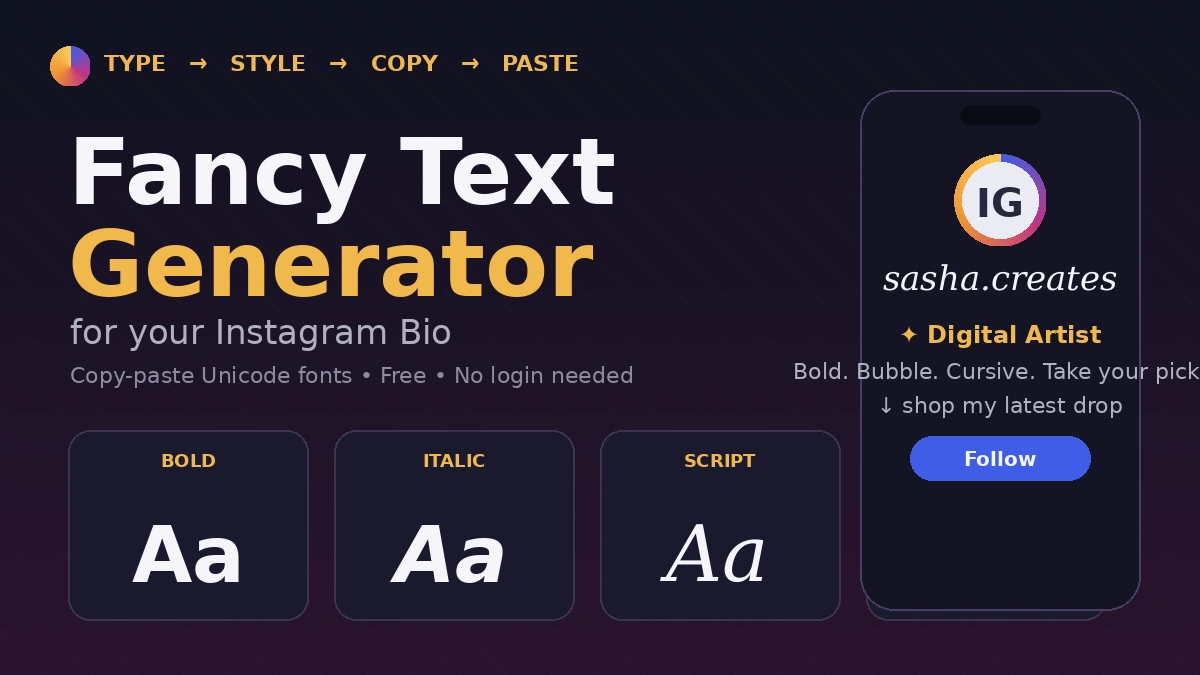
Scroll through Instagram for five minutes and you’ll spot them — bios written in swirly cursive, bold blackletter usernames, or tiny bubble-letter taglines that look nothing like the app’s default font. None of that is a secret Instagram feature. It’s Unicode, and a fancy text generator for Instagram bio is the tool that makes it happen.
If you’ve ever wondered how creators get that “aesthetic” bio look — or why your own attempt at fancy text showed up as a row of empty boxes — this guide covers exactly how it works, which styles actually render on Instagram, and how to use them without wrecking your bio’s readability.
You can try our fancy text generator to make your text unique.
What Is a Fancy Text Generator, Exactly?
A fancy text generator is a free online tool that converts normal letters into stylized Unicode characters you can copy and paste anywhere, including your Instagram bio. It’s not a font in the traditional sense — Instagram doesn’t let you install or select custom typefaces. Instead, these tools swap your regular “a” or “b” for a visually similar character pulled from a different part of the Unicode standard (mathematical alphanumeric symbols, circled letters, fullwidth characters, and so on).
So when you see something like 𝓬𝓸𝓹𝔂 or Ⓒⓞⓟⓨ in a bio, you’re not looking at a font change — you’re looking at entirely different characters that happen to resemble stylized letters. Because they’re still text (not images), they paste cleanly and work across any app or device that supports Unicode rendering.
Why Bother With Fancy Fonts on Instagram?
Your bio is prime real estate. It’s often the first thing a new visitor reads before deciding whether to hit “Follow,” and a generic, plain-text bio blends into every other profile on the platform. A well-placed stylized word does a few things well:
- Breaks visual monotony in a feed full of identical system fonts
- Draws the eye to a specific phrase — your niche, your tagline, or a call-to-action
- Signals personality before someone even reads your content
- Makes usernames and highlight titles more memorable
The catch is that fancy fonts work best as an accent, not the whole bio. One or two styled words next to clean, readable text tends to outperform a bio that’s fully converted — both for first impressions and for actual legibility.
Popular Fancy Font Styles for Instagram (and When to Use Each)
| Style | Looks Like | Best For |
|---|---|---|
| Cursive / Script | Handwritten, flowing letters | Lifestyle, beauty, wedding, and personal brand bios |
| Bold | Thick, high-contrast letters | Calls-to-action, key phrases you want to pop |
| Italic | Slanted text | Subtle emphasis without shouting |
| Bubble / Circled | Letters inside circles | Playful, youth-oriented, or gaming profiles |
| Small Caps | Uniform, compact uppercase | Minimalist or professional-leaning bios |
| Gothic / Blackletter | Old-English, heavy strokes | Streetwear, gaming, music, edgy branding |
| Monospace | Typewriter-style, even spacing | Tech, developer, or “coded” aesthetic accounts |
| Double-Struck | Outlined, “math textbook” look | Niche aesthetic accounts, math/education pages |
| Strikethrough | Line through text | Captions more than bios — good for “before/after” jokes |
A quick note on glitch or “Zalgo” text (the styles with letters buried under extra marks): they look dramatic, but Instagram is far more likely to strip or garble them. If your bio needs to be readable and reliable, save the glitch aesthetic for a one-off caption rather than your permanent bio.
How Fancy Text Generators Actually Work
Every generator follows roughly the same four-step process:
- Type your text into the input box on the generator’s site.
- Preview instantly — most tools generate 20–50+ style variations in real time as you type.
- Scroll and compare styles side by side until one fits your brand.
- Copy and paste the version you want directly into your Instagram bio, name field, or caption.
Because Instagram’s bio field caps out at 150 characters, it’s worth typing your actual bio copy into the generator rather than a placeholder — that way you can see exactly how much space the styled version eats up before you commit to it.
Step-by-Step: Adding Fancy Text to Your Instagram Bio
- Open a fancy text generator in your mobile or desktop browser.
- Type the exact phrase you want styled (a name, tagline, or short bio line).
- Browse the generated styles and pick one that fits your brand’s tone.
- Tap Copy.
- Open Instagram, go to Edit Profile, and paste the text into the Bio field.
- Preview your profile before saving — some fonts render differently on mobile versus desktop.
- If a style looks broken (boxes, blank spaces, or missing characters), go back and try a different one.
Best Practices for Using Fancy Fonts (Without Looking Spammy)
- Style selectively. Stylize a name, tagline, or single standout phrase — not your entire bio. A bio that’s 100% decorative Unicode is harder to read and can look cluttered rather than curated.
- Pair fonts with emojis, not against them. A stylized word next to a relevant emoji reads as intentional; five fonts stacked together reads as noise.
- Use invisible characters carefully for line breaks. Some generators include zero-width space characters that let you create blank lines in your bio. Use sparingly — Instagram has tightened enforcement around bios that look manipulative or spam-like.
- Always test before publishing. Paste your styled text into the bio field and check how it actually renders — generator previews don’t always match Instagram’s real output.
- Track your character count. Every stylized character still counts as one character toward Instagram’s 150-character bio limit, even though it might visually take up more space.
- Match the font to your brand, not the trend. Small caps and clean bold read as professional; bubble letters and cursive read as casual or playful. Pick based on the account’s actual purpose.
Will Fancy Text Actually Show Up? Compatibility and Limitations
This is the part most guides skip, and it’s the one that actually matters: Instagram does not support every Unicode character, and it periodically filters out ranges it considers spam-prone or unstable. That means a font that renders perfectly on one update might show up as blank boxes after Instagram tweaks its filtering.
What tends to hold up reliably:
- Basic bold and italic Unicode letters
- Small caps and fullwidth characters
- Standard cursive/script sets
What’s more likely to break or get filtered:
- Heavy Zalgo/glitch text with stacked diacritical marks
- Rare or obscure Unicode blocks
- Extremely long strings of styled text (some platforms silently truncate or reject these)
The only reliable test is trying it directly in your own bio field — generator previews are a good starting point, not a guarantee.
Don’t Skip Accessibility
Fancy Unicode text isn’t read correctly by screen readers, which matters more than most bio guides admit. A screen reader doesn’t recognize 𝓬𝓾𝓻𝓼𝓲𝓿𝓮 letters as the English alphabet — it may spell out each character individually or skip the word entirely, making your bio unreadable for visually impaired visitors. If your account is a business, brand, or anything with functional information (contact details, pricing, hours), keep that text in plain characters and reserve fancy fonts for purely decorative phrases.
Free Fancy Text Generators Worth Trying
Most fancy text tools use the same underlying Unicode character maps, so functionally they’re similar — the differences come down to interface, live preview accuracy, and extras like emoji pickers or character counters. Look for a tool that:
- Requires no signup or download
- Shows a live character counter (so you don’t accidentally blow past Instagram’s 150-character limit)
- Offers a large style library rather than just 4–5 basic fonts
- Lets you copy individual styles with one tap
Because generator sites come and go, it’s worth doing a quick search for “fancy text generator” or “Instagram font generator” right before you need one, rather than relying on a fixed list — that way you land on whichever tools are currently active and well-reviewed.
The Bottom Line: Fancy Text Generator for Instagram Bio
A fancy text generator is a simple, free way to make your Instagram bio feel more intentional — but the tools work best when you treat them as an accent, not a full makeover. Pick one or two styles that fit your brand, test them directly in your actual bio, and keep any essential information in plain, accessible text. Do that, and you get a profile that stands out for the right reasons instead of one that looks broken on half your visitors’ phones.
READ MORE: Cool Gaming Name Font Generator: How to Build a Gamer Tag People Actually Remember
Frequently Asked Questions
What is a fancy text generator for Instagram?
It’s a free online tool that converts normal letters into decorative Unicode characters — like bold, cursive, or bubble-style letters — that you can copy and paste into your Instagram bio, name, or captions. Instagram doesn’t support custom fonts natively, so these tools work by substituting standard letters with visually similar Unicode symbols.
How do I add fancy text to my Instagram bio?
Type your text into a generator, choose a style from the preview list, tap copy, then paste it into the Bio field under Edit Profile on Instagram. Save your profile and check that the text displays correctly.
Which fancy fonts actually work on Instagram?
Simple styles — basic bold, italic, small caps, and standard cursive — have the most reliable support. Heavily decorated styles like Zalgo or rare Unicode blocks are more likely to get filtered or display as blank boxes.
Why isn’t my fancy text showing up on Instagram?
If a style displays as boxes or blank spaces, Instagram is likely filtering that specific Unicode range. Switch to a simpler, more widely supported style and test it directly in your bio before finalizing.
Is fancy text bad for accessibility on Instagram?
Yes, to an extent. Screen readers often can’t interpret stylized Unicode characters correctly, which can make bios unreadable for visually impaired users. Keep essential information (contact info, business details) in plain text and use fancy fonts only for decorative phrases.
Is it free to use an Instagram font generator?
Yes. The vast majority of fancy text generators are free, browser-based, and require no account or download.