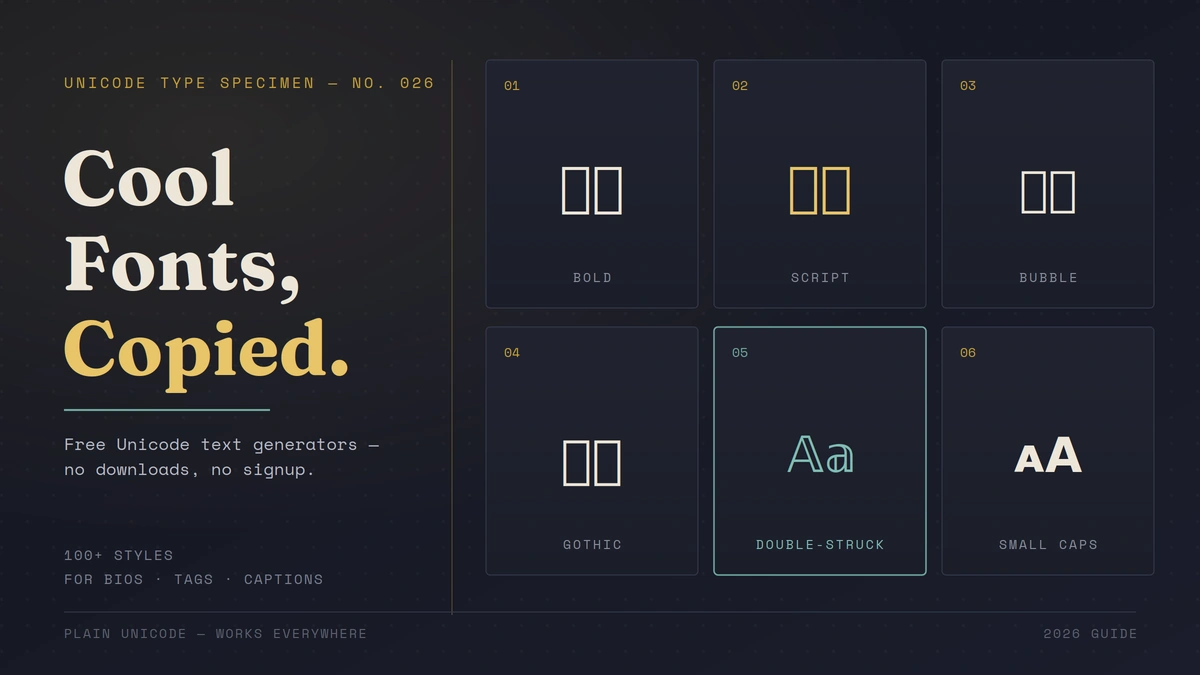
If you’ve ever scrolled past an Instagram bio written in swirly script letters or a Discord username dressed up in bold gothic text and thought, “how did they do that?” — the answer is simpler than you’d expect. They found cool fonts copy and paste free tools online, typed their text, picked a style, and copied the result straight into their bio. No new font was installed. A free online generator swapped their ordinary letters for special Unicode characters, and that’s it — the styled text was ready to paste anywhere.
That’s really all a “cool font” is. No downloads, no design software, no licensing headaches. Just text that looks different because it’s built from a different corner of the Unicode character set. This guide walks through exactly how these generators work, which free tools are worth your time, how to actually use the output without running into display issues, and where fancy text helps (versus where it quietly hurts you).
You can use this fancy text generator for free right here.
What Are Cool Fonts, Really?
“Cool fonts,” “fancy text,” and “stylish Unicode text” all describe the same thing: standard letters swapped out for visually different characters that live inside the Unicode standard — the massive digital library that assigns a unique code to every character used across the world’s writing systems, plus thousands of symbols, mathematical alphanumerics, and decorative variants.
So when you type “Hello” into a generator and get back 𝓗𝓮𝓵𝓵𝓸 or 𝐇𝐞𝐥𝐥𝐨, you’re not looking at a new typeface applied through CSS or a font file. You’re looking at entirely different characters that happen to resemble the Latin alphabet. Because they’re still plain text under the hood, that styled output can be copied, pasted, searched, and even indexed by search engines — it just renders differently depending on the Unicode blocks a device supports.
Quick answer: A cool font generator is a copy-paste text tool, not a font installer. It maps your input to alternate Unicode characters that look stylized but function as regular text everywhere Unicode is supported.
How Do Fancy Text Generators Actually Work?
Behind the scenes, these tools run a straightforward character-substitution script. You type a word, and the generator matches each letter against a pre-built table of Unicode equivalents — one table per style. Pick “bold math,” and every letter gets swapped for its counterpart from the Mathematical Alphanumeric Symbols block. Pick “bubble text,” and you get characters from the Enclosed Alphanumerics block instead.
This is exactly why fancy text travels so well across platforms. Since nothing is being rendered as an image or loaded as a custom font file, the styled string behaves like any other line of text — it fits inside usernames, bios, captions, even URLs, as long as the platform accepts Unicode input (and nearly all modern ones do).
The tradeoff is that you’re limited to whatever character sets Unicode actually provides. That’s why you’ll notice most generators offer variations on the same handful of visual families — bold, italic, script, circled, strikethrough — rather than infinite custom designs. There’s no equivalent Unicode block for, say, a hand-lettered calligraphy font with descenders and swashes; Unicode simply hasn’t allocated characters for every visual style a graphic designer could dream up.
Why Bother Using Fancy Fonts at All?
Attention is the whole point. A feed full of identical system-font captions makes a stylized headline or bio line jump out immediately. That’s the entire value proposition — visual differentiation without needing a design background.
A few concrete uses that come up constantly:
- Personal branding — a distinct Instagram or TikTok bio that signals personality before someone reads a single word
- Gaming tags — Discord, Twitch, and Steam usernames that stand out in a crowded lobby or chat
- Marketing emphasis — a bolded promo word inside an otherwise plain caption, functioning like italics or bold formatting where the platform doesn’t offer real text formatting
- Document or folder personalization — labeling files or folders with a distinct look on a shared drive or desktop
The catch, which we’ll come back to, is that this only works when it’s used sparingly. A whole paragraph in bubble text is genuinely hard to read.
Best Free Cool Font Generators in 2026
You don’t need to pay for any of this, and you shouldn’t have to sign up for an account either. Here are the tools that consistently deliver a large style library without the upsell:
| Tool | Style Count | Notable Feature |
|---|---|---|
| LingoJam | 100+ | No login, instant preview, longtime community favorite |
| FontB | 300+ | No watermark, no character limit, clean UI |
| TextTrick | 110+ | Mobile-optimized, categorized by mood/use case |
| FancyFonts.top | 100+ | Labeled style categories (Fraktur, Zalgo, Mirror, etc.) |
| CoolSymbol | Large symbol + font library | iOS/Android app versions available |
| Namecheap Font Maker | Wide selection | Backed by an established company, no account required |
All of these output the same underlying thing — plain Unicode text — so a style copied from one tool will look identical when pasted anywhere, regardless of which generator produced it. Pick whichever interface feels fastest to you; the results are functionally interchangeable.
How to Copy and Paste Fancy Fonts (Step by Step)
This process takes under 30 seconds once you’ve done it once.
- Type your text into the generator’s input box — this works the same on desktop and mobile.
- Browse the style previews. Most tools instantly render your exact phrase in every available style, so you’re comparing your actual text rather than a generic sample.
- Tap or click “Copy” next to the style you want. This copies the styled Unicode string to your clipboard, exactly like copying any other text.
- Paste it into your destination — an Instagram bio, a tweet, a Discord nickname field, a chat message. Long-press to paste on mobile, or use Ctrl+V / Cmd+V on desktop.
That’s the entire workflow. No app installation, no font activation, no waiting for anything to sync. If a style doesn’t display the way you expected once pasted, the fix is almost always to try a different style rather than troubleshoot the platform — some Unicode blocks render inconsistently on older devices (more on that below).
Popular Font Styles and What They Look Like
Generators typically group their libraries into recognizable families. Here’s what you’ll commonly find, with the phrase “Good Morning” as the example:
- Bold Unicode (mathematical bold): 𝐆𝐨𝐨𝐝 𝐌𝐨𝐫𝐧𝐢𝐧𝐠 — clean, high-contrast, good for headlines
- Script/Cursive: 𝒢𝑜𝑜𝒹 𝑀𝑜𝓇𝓃𝒾𝓃𝑔 — a handwritten feel, popular for bios
- Bubble/Circled: Ⓖⓞⓞⓓ ⓂⓄⓇⓃⓘⓝⓖ — playful, works well for short usernames
- Fraktur/Gothic: heavy, old-English styling — a longtime favorite for gaming tags
- Double-struck (blackboard bold): outlined, hollow-letter look
- Small caps: lowercase letters rendered as tiny capitals — subtle, more readable than most fancy styles
- Glitch/Zalgo: letters stacked with combining diacritical marks for a distorted, “corrupted” effect
- Mirror/upside-down: reversed or flipped character mapping, mostly used for novelty
If you’re picking a style for something you actually want people to read easily — a bio, a caption — small caps, bold, or a light script tend to hold up best. Save the heavier glitch and mirror styles for short, decorative use.
Where You Can Actually Use Copy-Paste Fonts
Because these are plain Unicode characters rather than custom fonts, they work anywhere a platform accepts standard text input:
- Social media — Instagram bios and captions, TikTok captions, Twitter/X posts, Facebook profiles
- Messaging apps — WhatsApp status and messages, Telegram, Messenger
- Gaming platforms — Discord nicknames and server names, Roblox, Steam profile names, Twitch display names
- Productivity tools — Slack status messages, Google Docs headers (used sparingly)
- Forums and communities — Reddit usernames or post titles, Quora
The one real requirement is that the destination platform and the reader’s device both need to support the specific Unicode block your chosen style pulls from. Mainstream blocks like Mathematical Alphanumerics and Enclosed Alphanumerics are supported almost everywhere in 2026; more obscure combining-character styles (like heavy Zalgo effects) are more likely to render oddly on older hardware.
Is It Safe and Legal to Use These Fonts?
Yes — and this is worth stating plainly because it’s the most common hesitation people have.
Licensing: Since you’re not downloading a font file, there’s no font license to worry about, commercial or otherwise. You can use styled Unicode text in business marketing, product listings, or client work without any usage restrictions tied to font foundries.
Security: Reputable generators don’t require an account, don’t install anything on your device, and the output is just text — there’s no executable code hiding inside a Unicode string. The practical safety concern isn’t malware; it’s display reliability.
Compatibility: This is the actual thing to watch. Not every Unicode character renders identically across every operating system, browser, and app version. A style that looks perfect on a recent iPhone might show up as a blank box (called a “tofu” character in typography circles) on an older Android device or a legacy web form that doesn’t fully support extended Unicode ranges. Always preview your final text on the actual platform before publishing anything important — a username, a business listing, a permanent bio.
Best Practices for Using Fancy Fonts Well
A few habits separate fancy text that looks intentional from fancy text that looks like a mistake:
- Match the style to the context. A playful bubble font suits a personal TikTok bio; a plain bold style reads as more professional for a business account.
- Use it for short bursts, not paragraphs. Headlines, names, and single-line emphasis work. A full comment or long caption in script text becomes genuinely tiring to read.
- Test before you publish anywhere permanent. Usernames and bios especially — preview on both a phone and a desktop browser if you can.
- Skip fancy fonts for anything accessibility-critical. Screen readers frequently fail to interpret decorative Unicode correctly, sometimes skipping the text entirely or reading it as a string of unrelated symbol names. Never use stylized text for a phone number, a link, a form label, or any information someone actually needs to retrieve accurately.
- Pair, don’t overload. One stylized headline with normal body text beneath it reads far better than mixing three different fancy styles in the same block.
READ MORE: Small Text Generator for Bio: How to Get Tiny, Aesthetic Fonts in Seconds
Frequently Asked Questions: Cool Fonts Copy and Paste Free
What is a cool font I can copy and paste?
It’s regular text converted into alternate Unicode characters that visually resemble a different typeface — bold, script, bubble, and dozens of other styles. No installation is required; you generate it, copy it, and paste it into any text field that supports Unicode.
How do I use fancy fonts on my iPhone or Android?
Open a font generator in your mobile browser, type your text, tap the style you like to copy it, then switch to your target app (Instagram, WhatsApp, TikTok), long-press the text field, and paste.
Do I need to download a font file or app?
No. Free generators work entirely in the browser and rely on Unicode, which is already supported by your device’s operating system. Some sites offer optional keyboard apps for convenience, but they’re never required.
Are copy-paste fonts free and safe to use commercially?
Yes. Because there’s no font file involved, there’s no licensing fee or restriction — you’re free to use styled Unicode text in personal projects, marketing, or client work.
Will fancy fonts display correctly on every device?
Mostly, but not universally. Mainstream styles render consistently across current phones, browsers, and apps, but some obscure Unicode characters may show as blank boxes on older systems. Always preview before publishing anything permanent.
Can I use fancy fonts in my Instagram bio or Twitter name?
Yes — this is one of the most common uses. The output is standard Unicode text, so it’s safe for Instagram bios, Discord nicknames, Twitch tags, and similar profile fields.
Are fancy fonts accessible to screen reader users?
Generally, no. Screen readers often misread or skip stylized Unicode characters, so they should be used decoratively rather than for essential information like contact details or navigation text.